Everything on one screen
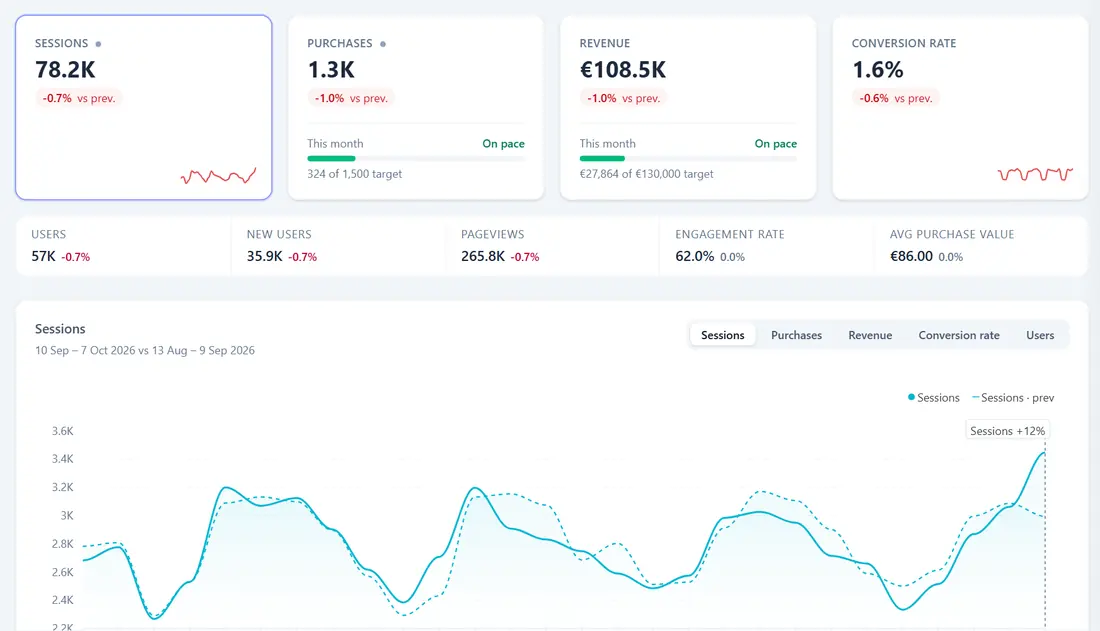
Visits, sales or leads, revenue, search clicks and ad spend together, each against the period before. In Google's own tools they sit in separate reports and separate products.
Google Analytics dashboard
GA4, Search Console and Google Ads on one screen, with what moved and what looks wrong in plain words. Ready in minutes, nothing to build.
14-day free trial · No card needed · From €79 a month after
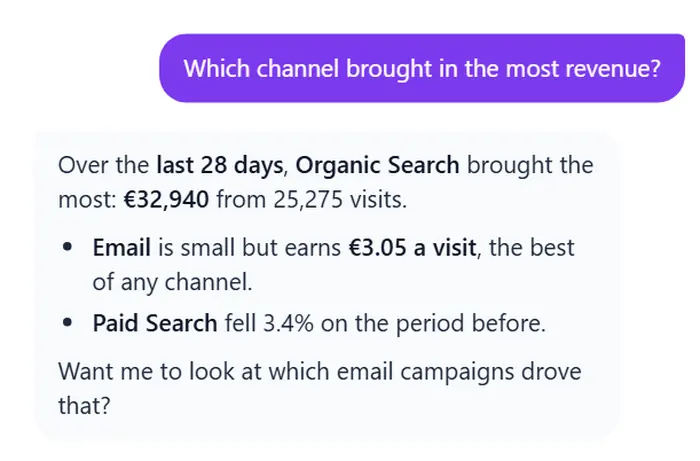
The Glancely Overview and its assistant, shown with sample data.
Works with Google Analytics 4, Google Search Console and Google Ads
Why not just GA4?
GA4 has the numbers. Glancely puts them in one place, compares them for you and says what they mean.
Visits, sales or leads, revenue, search clicks and ad spend together, each against the period before. In Google's own tools they sit in separate reports and separate products.
Every figure is checked against its own history, weekday by weekday, and anything unusual is written up in plain words — along with what has been quietly costing you, like a device that converts at half the rate.
When nothing stands out, it says nothing.
"Why did Friday spike?" "Which landing pages bring the most sales?" The AI assistant reads your live data for any period, says which dates it used, and draws a chart when one helps.
Google Ads spend beside the revenue GA4 recorded, per channel and per campaign — "€3.40 back for every €1 spent", not a ratio to decode.
Before you start
No. Glancely reads your GA4 property directly through Google's own reporting API. BigQuery is optional and only adds a deeper Behaviour page.
No. Glancely only reads. Google words the Google Ads permission broadly, because it offers no read-only version; we use it to read.
No. Every page reads your data live from Google when you open it, and your analytics are never copied into our database. The privacy policy lists the little we keep.
Any GA4 property your Google account can view — several at once if you like, and sorted into clients if you run them for others.
14 days free with no card, then €79 a month for Pro, plus VAT. All plans.
Getting started
Signing in asks only for your name and email. Google Analytics is asked for when you connect it.
As many GA4 properties as you like, in one go.
Your dashboard opens on your own figures. Add Search Console and Google Ads whenever you like.
Start with 14 days free — no card needed. Or look around the live demo first, on sample data.
Answers from our help articles
Hi! Ask me how to do something in Glancely.